
Comments
Write down what you learned cooking a recipe, and see when somebody else did
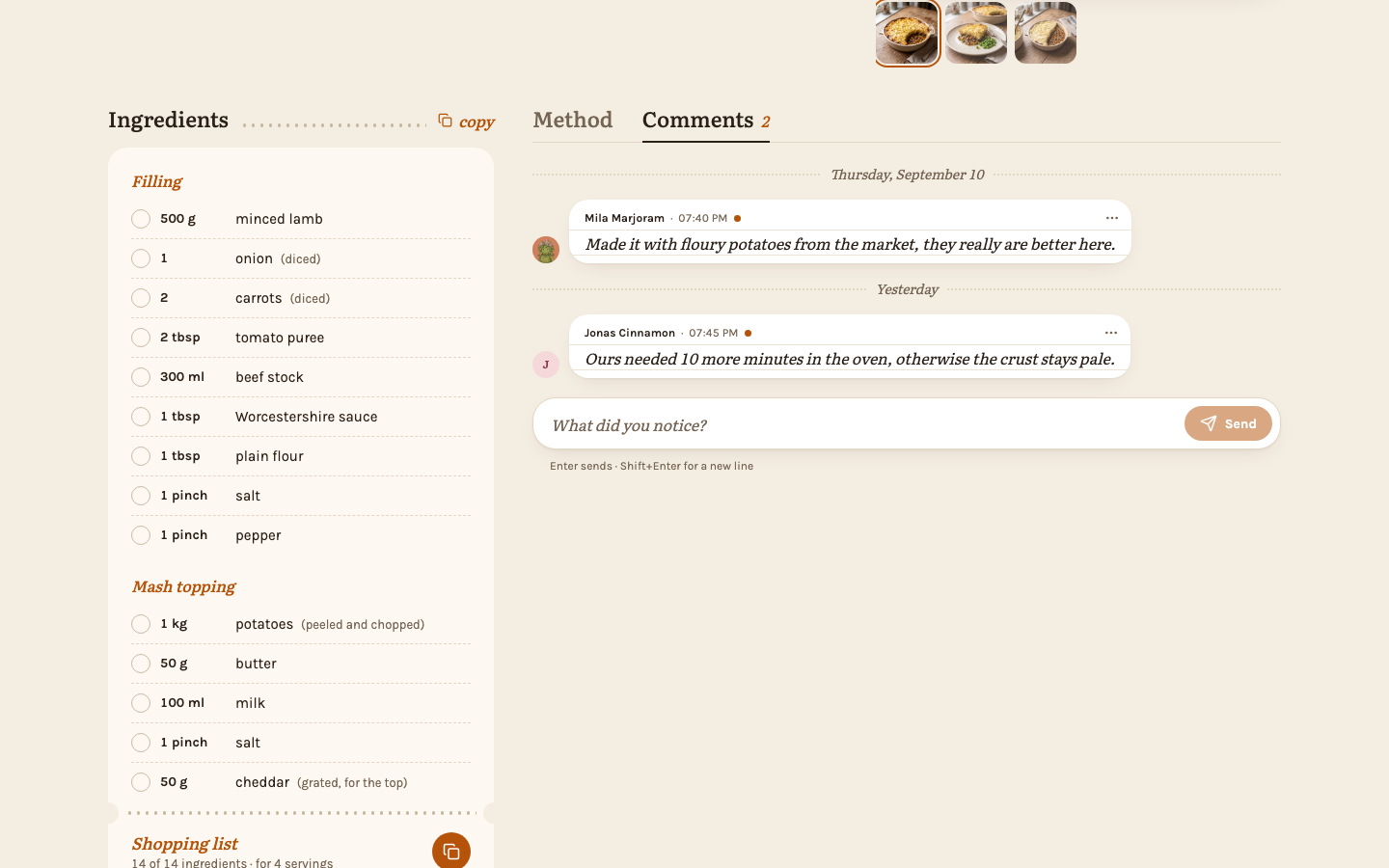
Every recipe has comments: the place for what the household learned cooking it. "Ours needed 10 more minutes in the oven." "Capers only at the very end." The next person cooking reads them right where they need them, instead of in a chat that scrolled away long ago.
The comments sit behind a tab beside the "Method" heading, on phones as on computers. A recipe always opens on its method; tap or click "Comments" to read them, and "Method" to go back — a half-written comment waits for you. The tab shows how many comments there are, and a dot when some are new for you.
Everyone in the household can read and write comments on every recipe, including locked ones — a comment is not a change to the recipe (see Editing rights).
Writing a comment
Type into "What did you notice?" below the comments. On a computer, press Enter or click "Send"; Shift+Enter starts a new line. On a phone or tablet, Enter starts a new line and you tap the round send button. ⌘+Enter or Ctrl+Enter sends on every device, also from a tablet's keyboard. A comment is plain text of up to 2000 characters; line breaks are kept. Your own comments sit on the right in your color, everyone else's on the left with their picture or initial and name. Comments are grouped by day under "Today", "Yesterday" or the date.
Editing and deleting
Your own comments have a … menu. "Edit" turns the comment into a field with your text; change it and click or tap "Save" (on a computer, Enter saves too, and ⌘+Enter or Ctrl+Enter on every device), or "Cancel" (or Esc) to leave it as it was. An edited comment says "edited" beside its time. "Delete" removes it after you confirm, for everyone.
Admins can delete anyone's comment, but only the person who wrote it can edit it.
Seeing what is new
When somebody else comments on a recipe you added, or on one you commented on yourself, the recipe's card in the overview gets a small dot on the author's circle, and so does the recipe's "Comments" tab. Among the comments, the new ones carry the same dot beside their time. Opening the tab clears the dot on the card and on the tab; the dots beside the comments stay until you leave the page, so you can still see which ones were new. Opening the recipe without looking at the comments leaves the dots in place.
Your own comments never count as new, and editing a comment does not make it new again. Cook mode and the editor do not clear the dot — only the "Comments" tab does.
When someone leaves
If an admin removes a member, their recipes move to the admin, but their comments stay as they wrote them, shown as "Former member" with an empty circle.
Comments stay in the household
Nobody outside the household ever sees the comments. They are not on a public link, not on the recipe image you pass on, and not in a zip export — which also means that moving your recipes to another instance leaves the comments behind.