
Servings
Scale ingredient quantities to any number of servings and copy a shopping list
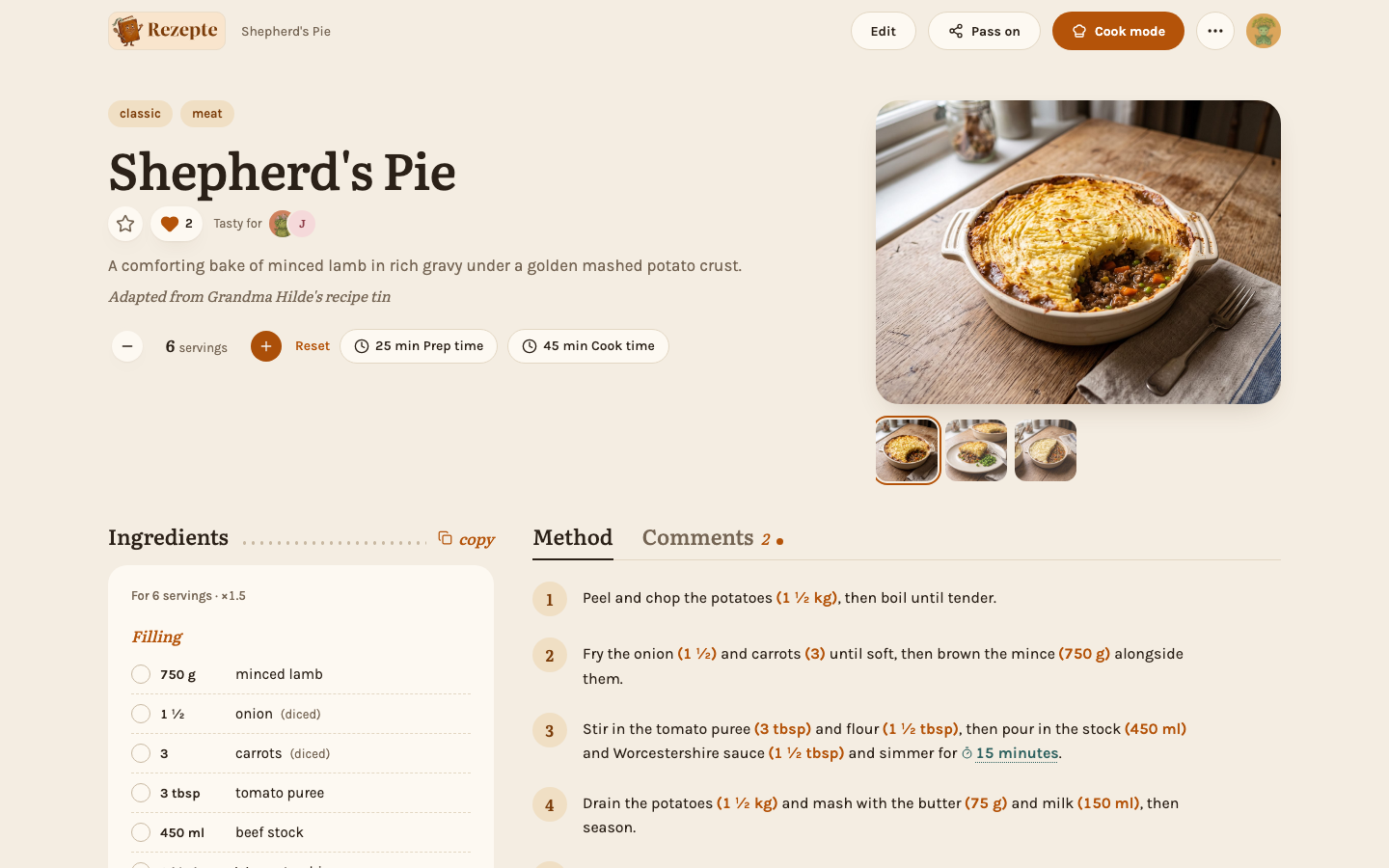
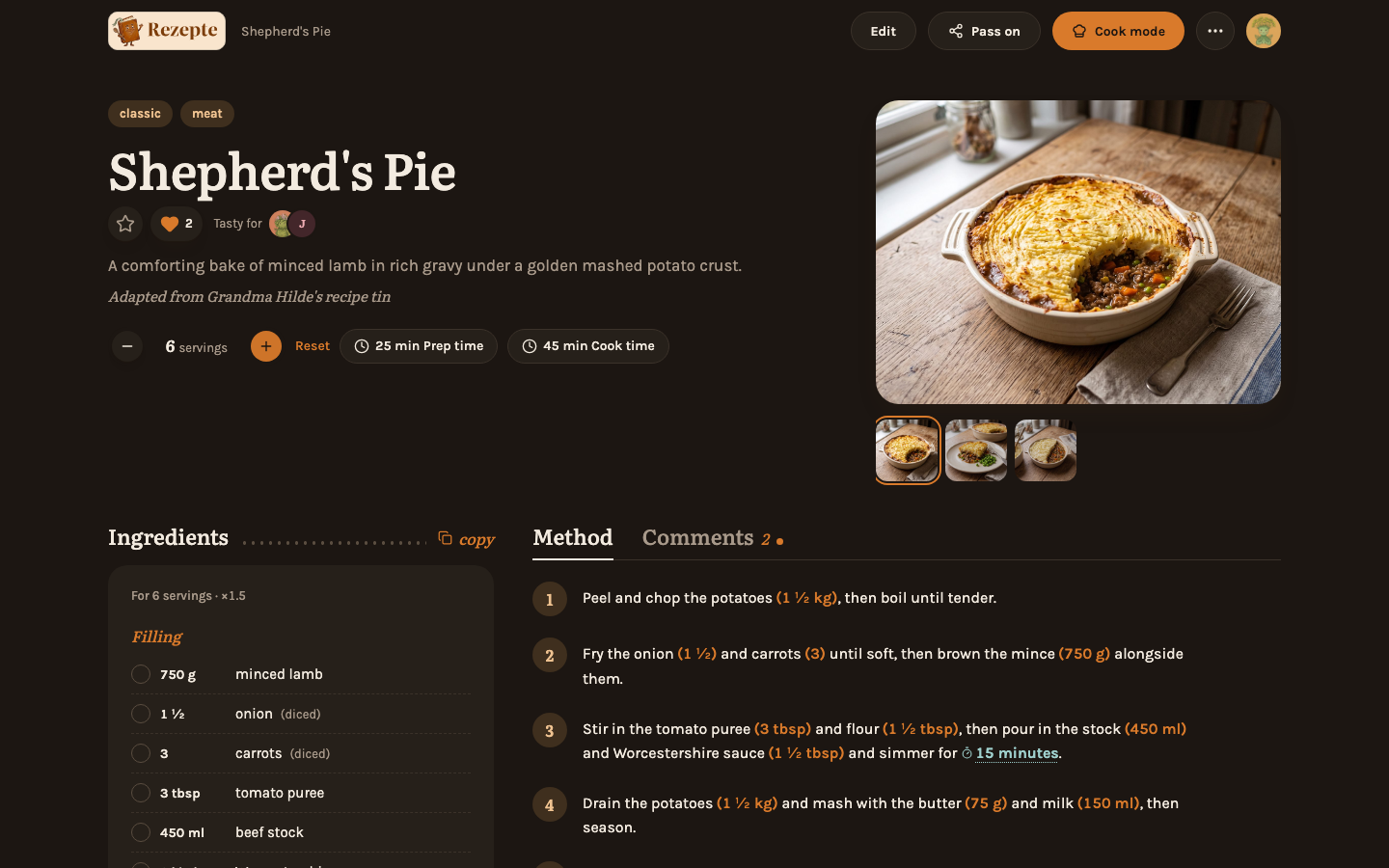
Change the number of servings
On a recipe's detail page, use the −/+ stepper at the start of the row of pills under the title (1–99). Every ingredient quantity updates immediately, scaled from the recipe's stored servings.
Reset
Once you have scaled a recipe, a "Reset" link appears right next to the stepper; it returns to the recipe's original, stored servings.
Copy a shopping list
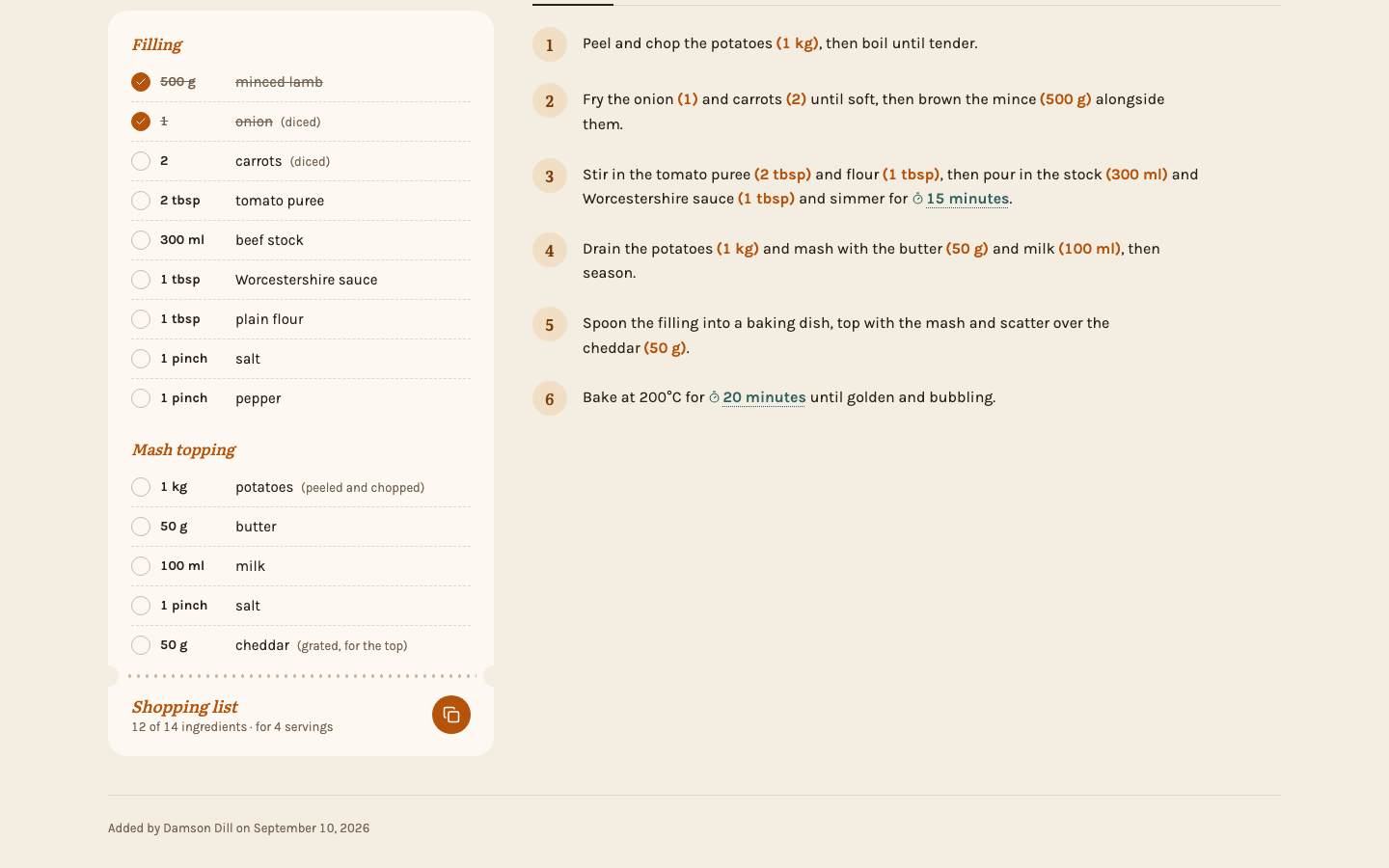
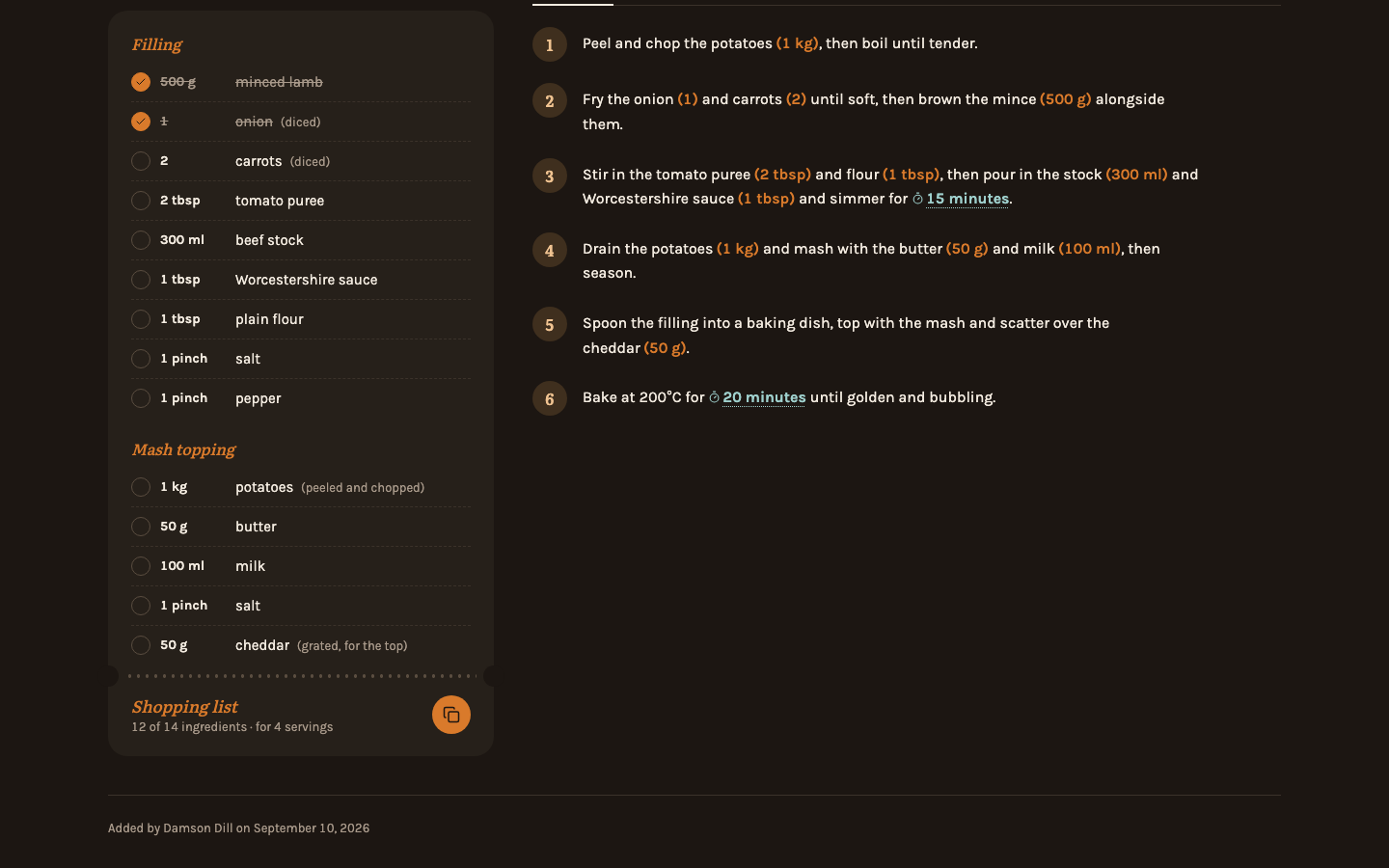
Tick off what you already have at home, then tap the "Shopping list" stub at the bottom of the ingredients. It copies every ingredient you have not ticked, one per line and at the servings you chose, so pasting it into Reminders, Todoist or Google Keep makes one item per ingredient. "copy" next to the "Ingredients" heading copies all of them with their groups and notes, for a message or a note.
Good to know
Scaled quantities round the way a cookbook would — to quarters, thirds and halves near common kitchen fractions, whole numbers from ten upward — rather than showing long decimals. Your choice of servings is remembered per recipe in this browser and carries over into cook mode; it never changes the recipe itself, so it is not shared with other people or devices. Editing the recipe's own "Servings" field is what changes the baseline everyone else scales from.
Nowhere on the server — scaling happens entirely in the browser. The recipe's stored servings and every ingredient quantity are untouched; only units are never converted (an amount in "tbsp" stays in "tbsp", just multiplied).